See where money leaks, without watching the desk all day
Most leaks are small and quiet: a cash bill that was never entered, a refund nobody asked for, a discount that grows. Keyvasa checks the money for you and tells you when something does not add up.
How can a hotel owner stop cash leaking at the front desk?
Make every rupee pass through a bill, and make changes leave a trace. In Keyvasa cash taken can never exceed the bill, staff count the drawer before they see what it should hold, refunds and voids need a second check, the day is locked each night, and every change records who made it.
Which checks are built in?
Six checks are in every plan. Cash taken cannot be more than the bill. The cash drawer is counted blind. Refunds, cancelled bill items and rate changes need an extra security check on the phone. Alerts can be switched on. Each night the day is closed. Every change is recorded with who and when.
Cash never above the bill
No room for an extra amount to go missing.
Blind drawer count
Staff count first and only then see the expected total.
Security check on changes
Refunds, voids and rate changes ask for a second factor on the phone.
Which alerts can I switch on?
You can switch on alerts for a discount above the limit you set, a food order cancelled or given free, and a refund. They are off until you turn them on, so you choose what matters for your hotel. Alerts come to your phone in Keyvasa, with quiet hours at night for anything that is not urgent.
Discount above your limit
You set the limit, Keyvasa tells you when it is crossed.
Food cancelled or given free
Every cancelled or free kitchen order is visible.
Refunds
See every refund with the person who made it.
What does the morning summary flag?
The morning summary lists arrivals, departures, money still to collect and open jobs. If the room board and the checked in guests do not match, it says so, which is how a room used without a bill shows up. With Keyvasa Watch, your CCTV can also flag movement near a room with no guest checked in.
Room board mismatch
A room marked occupied with no guest, or the other way round.
Money still to collect
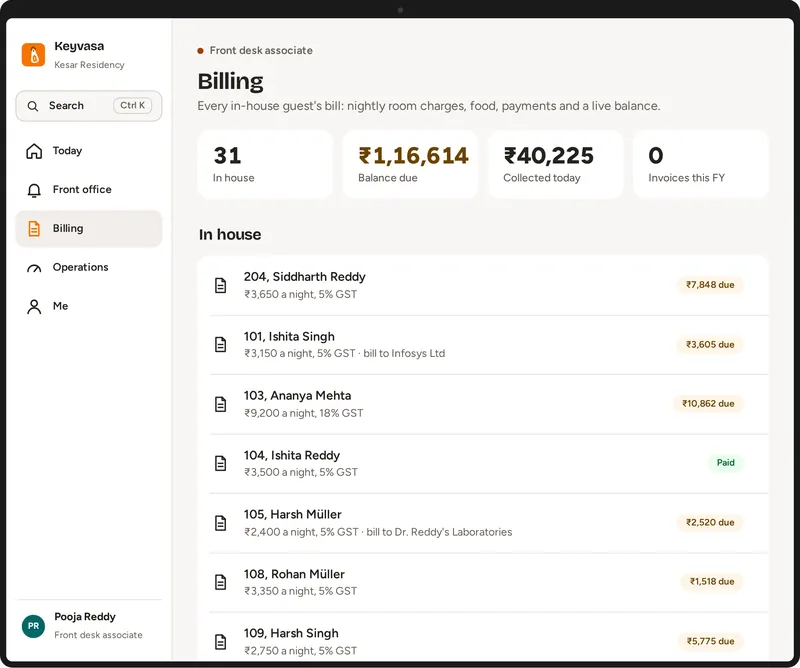
Balances that are still open, by guest.
CCTV, if you add it
Keyvasa Watch adds alerts from your own cameras.
All six checks are in every plan. Keyvasa Watch for CCTV is an add on. See every plan
Common questions
Will Keyvasa tell me how much money I am losing?
No. We do not promise a number, because every hotel is different. Keyvasa shows you your own bills, refunds, discounts and counts, so you can see what is happening in your hotel.
Can staff delete a bill?
A bill item can be cancelled only after an extra security check on the phone, the change is recorded with who did it and when, and you can get an alert for it.
Does this need CCTV?
No. The money checks work on their own. Keyvasa Watch is an extra that uses the cameras you already have.
Updated by the Keyvasa team.
See it with your own hotel
A 30 minute call on your phone or computer, with your rooms and your questions. Setup, moving your data and training are included in every plan.
Request a demo
Tell us about your hotel. We will set up a walkthrough with your own room types and show the screens your team would use.
Thank you. Your request is in.
We will get in touch on the phone or WhatsApp number you gave to fix a time. Meanwhile, take the product tour.