Your hotel’s numbers, on your phone, every morning
See rooms filled, revenue today, the average rate and money at risk at a glance, and read a short summary every morning, wherever you are.
What reports should a hotel owner look at every day?
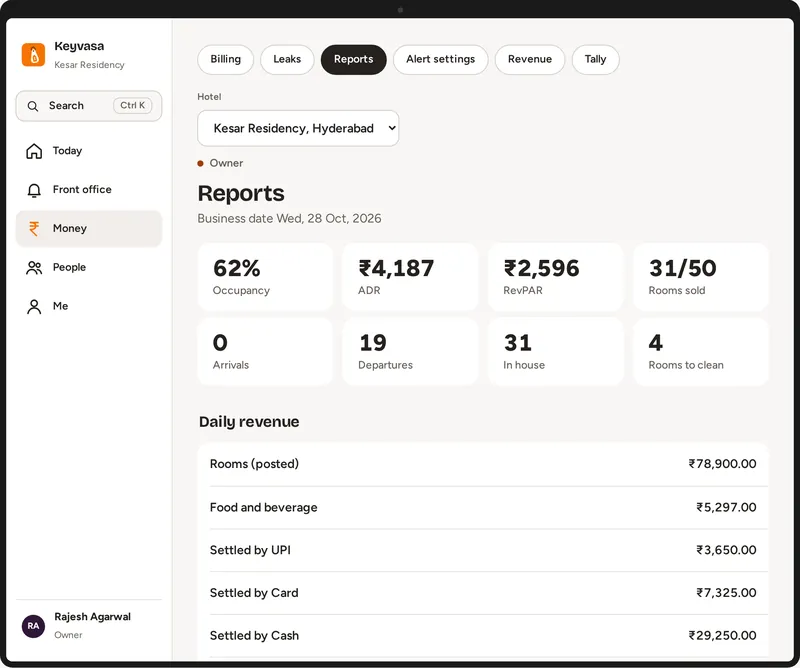
Every day, an owner should see how many rooms are filled, the revenue for the day, the average rate per room, and any money at risk, such as unpaid bills or unusual discounts. Keyvasa shows these on the owner’s phone and sends a short summary every morning, with monthly reports for the accountant.
What does the owner see on the phone?
The Today screen shows rooms filled, revenue today, the average rate and money at risk, along with staff tasks done on time. If the room board and the checked in guests do not match, the morning summary tells you, so you can ask a question the same day instead of finding out at the month end.
Today
Rooms filled, revenue, average rate and money at risk.
Morning summary
A short list of what needs your attention.
Staff tasks
Which jobs were done on time.
What does my accountant get?
Monthly reports for revenue, GST and payments are ready to download for your accountant. Purchases can be matched against GSTR 2B, so your CA sees gaps before filing. If you use Tally, the Tally connection is an add on at ₹975 a month that sends your entries across instead of retyping them.
Monthly reports
Revenue, GST and payments.
GSTR 2B match
Gaps found before filing.
Tally
Add on, ₹975 a month.
The owner view, morning summary and monthly reports are in every plan, from Core. See every plan
Common questions
Can I see more than one hotel?
Yes. If you own more than one hotel on Keyvasa, you can switch between them from the same login.
Can I give my accountant access?
Yes. Give your accountant a staff login of their own, since every staff login is included, or download the monthly reports and send them.
Updated by the Keyvasa team.
See it with your own hotel
A 30 minute call on your phone or computer, with your rooms and your questions. Setup, moving your data and training are included in every plan.
Request a demo
Tell us about your hotel. We will set up a walkthrough with your own room types and show the screens your team would use.
Thank you. Your request is in.
We will get in touch on the phone or WhatsApp number you gave to fix a time. Meanwhile, take the product tour.